The wider internet
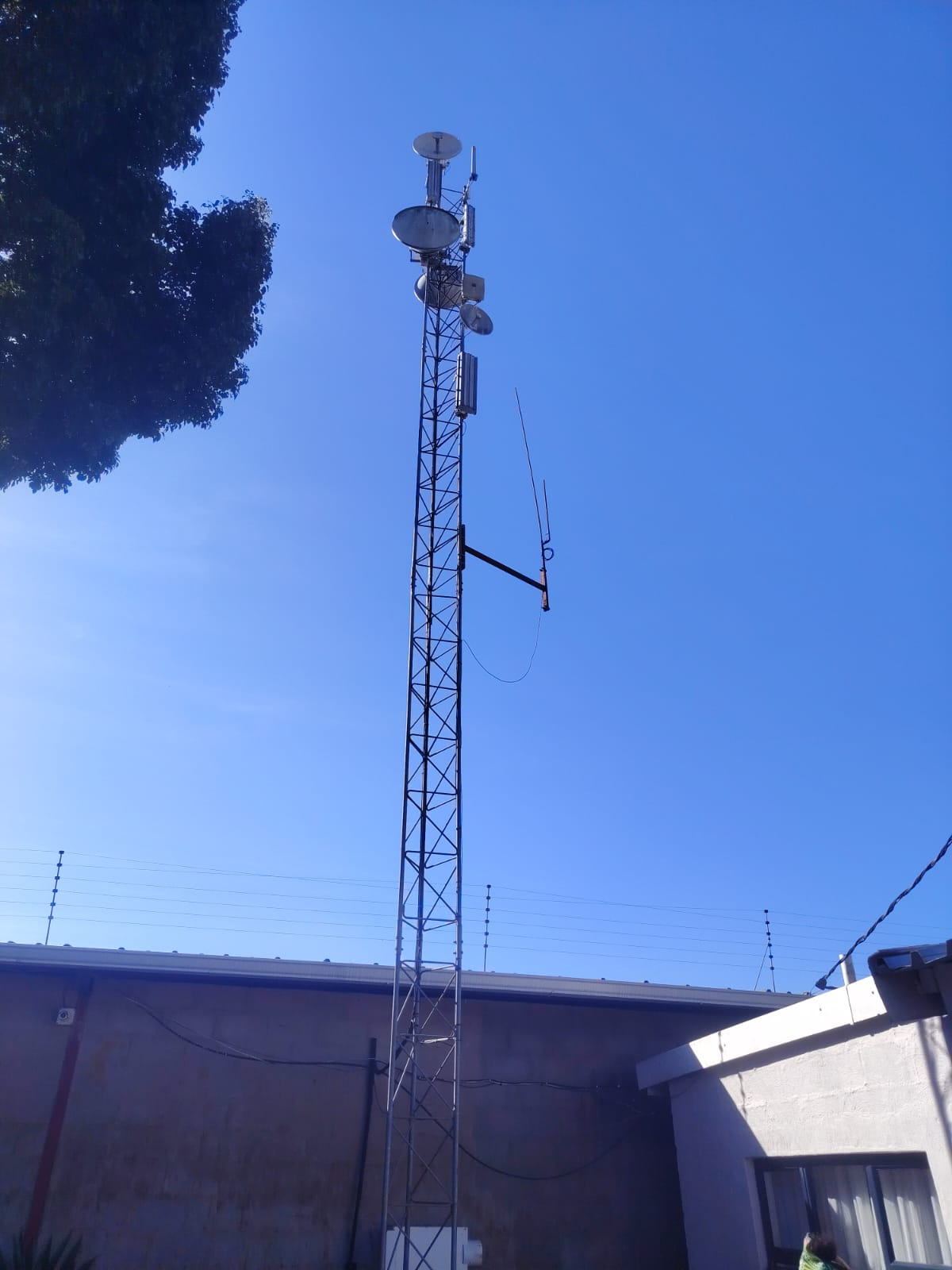
Upstream connectivity enters EdelNet’s network and is routed toward the high site serving your area.
Fixed wireless internet carries your connection through the air instead of relying on a telephone line running all the way to your property. EdelNet uses strategically positioned high sites, an outdoor customer antenna and an indoor router to create a dependable connection for homes and businesses.
Your data travels in both directions along the same route-from the wider internet, through EdelNet’s network, to the devices at your property and back again.
Upstream connectivity enters EdelNet’s network and is routed toward the high site serving your area.
Backhaul and access radios carry traffic across the network and transmit toward customer installations.
A small directional radio at your property-called customer-premises equipment or CPE-communicates with the high site.
A network cable brings the connection indoors. Your router then creates the local Wi-Fi and wired network.
Phones, computers, televisions, cameras and other devices connect through Wi-Fi or an Ethernet cable.
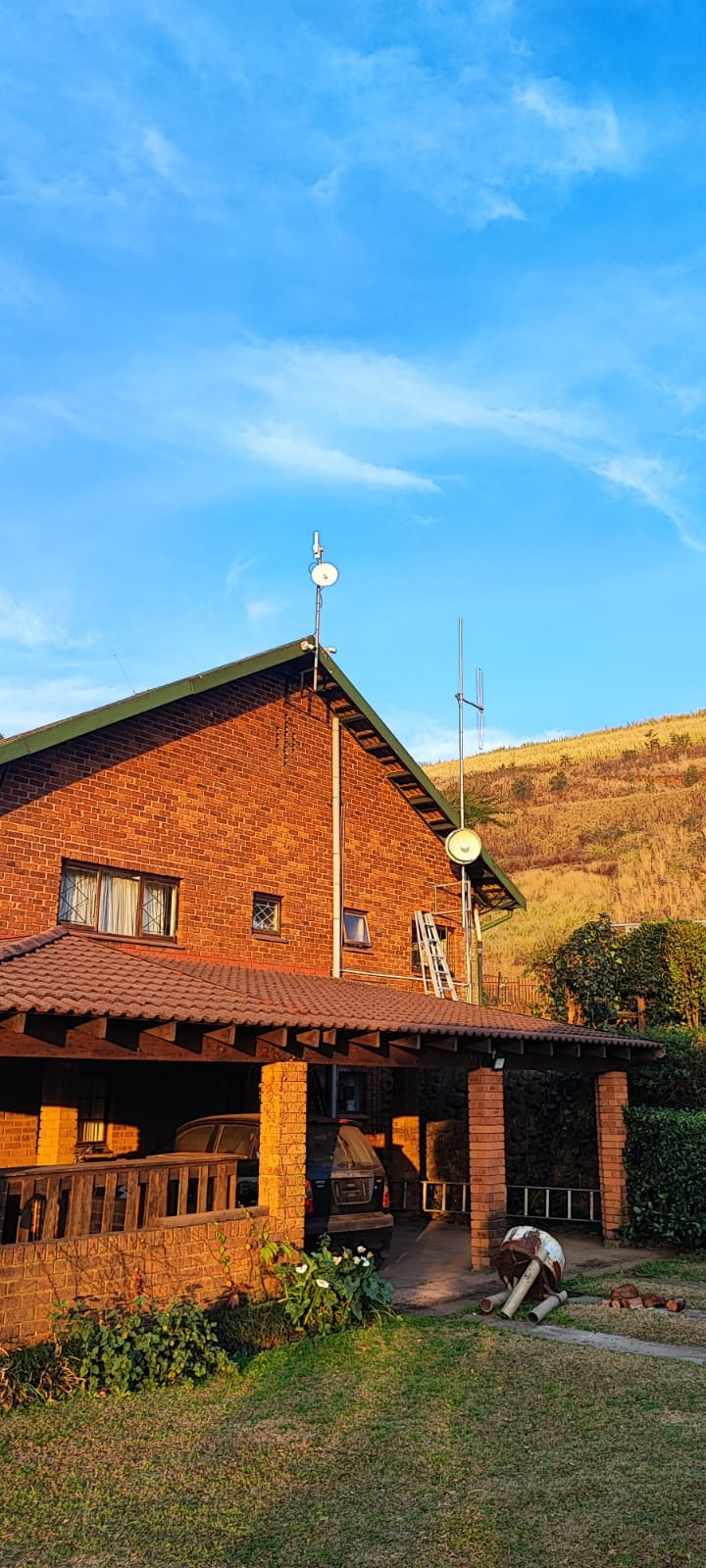
The outdoor CPE is mounted where it has the clearest practical path toward an EdelNet high site. It is carefully aligned and tested by the installer-not simply pointed in the general direction of a tower.
A single outdoor-rated network cable normally carries both data and low-voltage power between the CPE and an indoor power unit. From there, the connection feeds the customer’s router or wired network.
Fixed wireless works best when the customer antenna has a clear radio path to the serving high site. The path needs more than a tiny visible gap: the space around the direct line also matters to signal quality.
This is why coverage must be checked for the exact installation location rather than only the town or suburb.
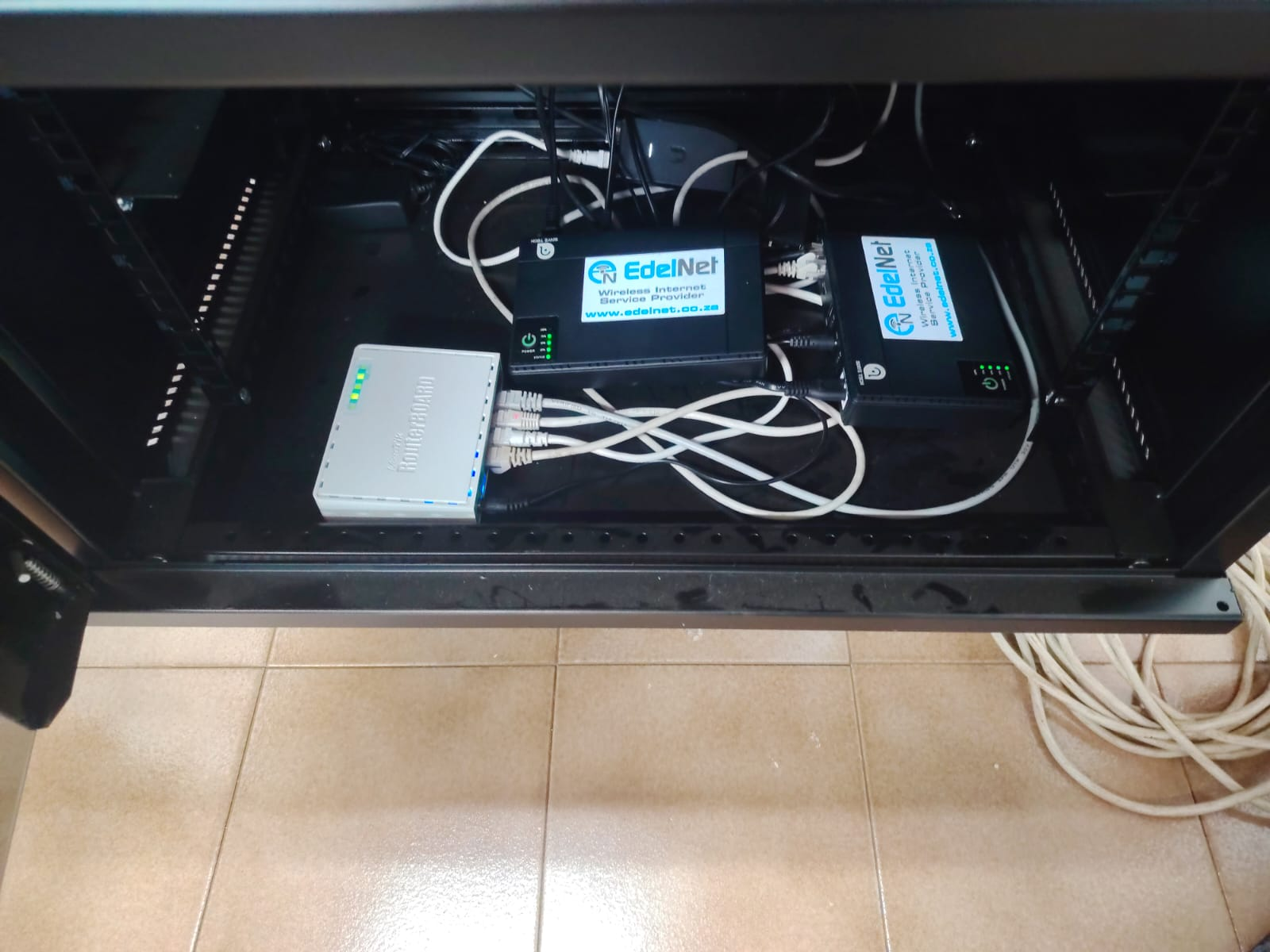
Each connection depends on routing, switching, power and radio equipment working together. EdelNet’s high sites form part of a wider network that moves customer traffic toward the internet and back to the correct installation.
Monitoring and maintenance help identify faults, manage network performance and keep equipment operating. Battery backup at EdelNet high sites helps bridge ordinary power interruptions, although every backup system has a finite operating time.
These two are often blamed for each other, but they describe different parts of the journey.
The link between your outdoor CPE and the EdelNet network. If this link has a problem, wired and wireless devices at the property may all be affected.
Test it with a computer connected to the router by cable whenever possible.The short-range signal created by your router. Distance, thick walls, metal, interference and router placement can make Wi-Fi weak even when the EdelNet connection is healthy.
Moving closer to the router helps identify an indoor Wi-Fi problem.Provide the exact address or GPS coordinates of the intended installation.
EdelNet checks nearby high sites and whether the location is likely to have a suitable path.
An installer confirms mounting options, line of sight, cable route and equipment requirements.
The CPE is securely mounted, cabled, aligned to the selected high site and tested.
The router is configured and the customer can begin connecting wired and Wi-Fi devices.
Possibly, but not always. Another EdelNet high site may serve the property, and an installer may find a suitable mounting position. The exact location must be assessed.
Professionally designed fixed-wireless links are built to operate through normal weather. Severe weather, heavy rain on certain links, storm damage, power failures or movement of equipment can still affect service.
Yes. Seasonal growth can gradually enter the radio path. Report a connection that changes with weather or seasons so the path and signal can be investigated.
No. Small alignment changes can significantly affect the link. Contact EdelNet before moving, replacing or building around the installed CPE and cable.
Not necessarily. Building size, walls, levels and interference affect indoor coverage. Larger properties may need additional access points or a professionally planned Wi-Fi network.
Send EdelNet your address or GPS coordinates so the team can identify the most suitable high site and installation route.